 Length 0:39
Cases
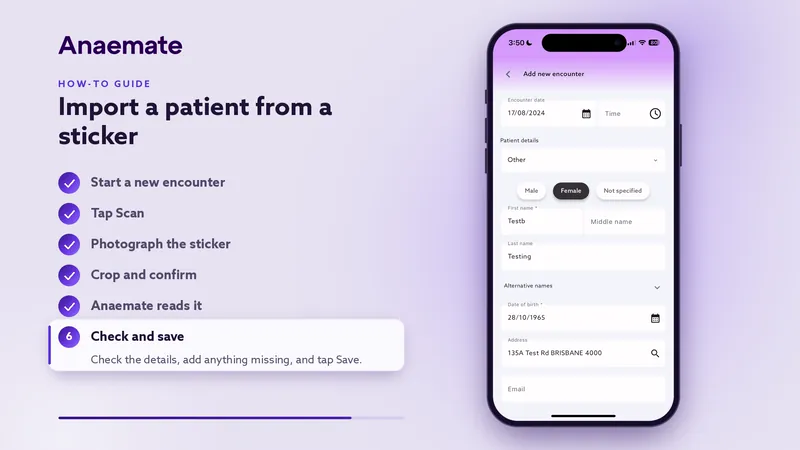
Import a patient from a sticker
Photograph the patient sticker and Anaemate fills in the patient's details.
How-to videos
Short guides to the Anaemate app, each under a minute. You'll find more in the app, under Settings › Help guide.
 Length 0:39
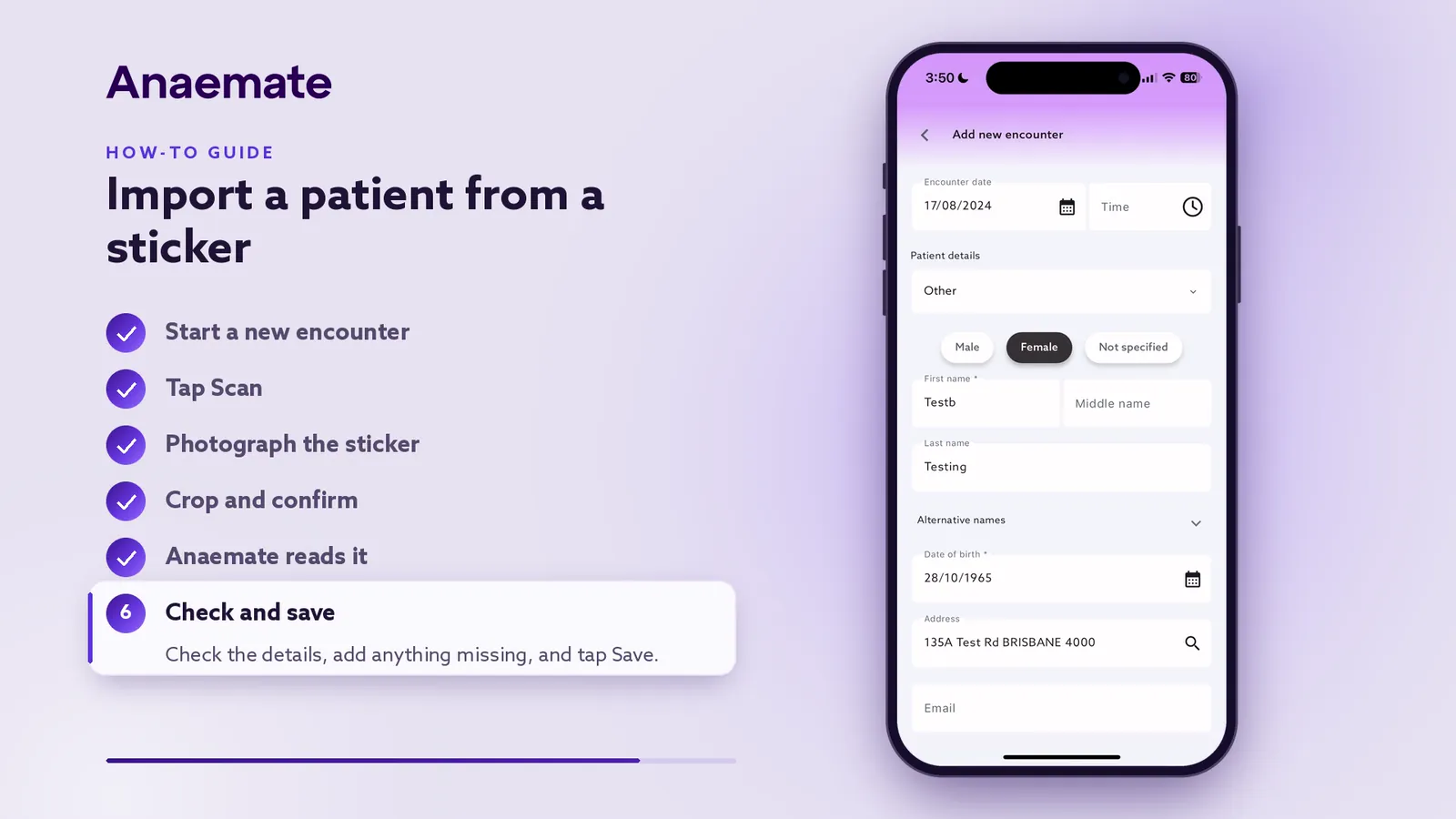
Import a patient from a sticker
Photograph the patient sticker and Anaemate fills in the patient's details.
Length 0:39Cases
Photograph the patient sticker and Anaemate fills in the patient's details.
 Length 0:43
Billing
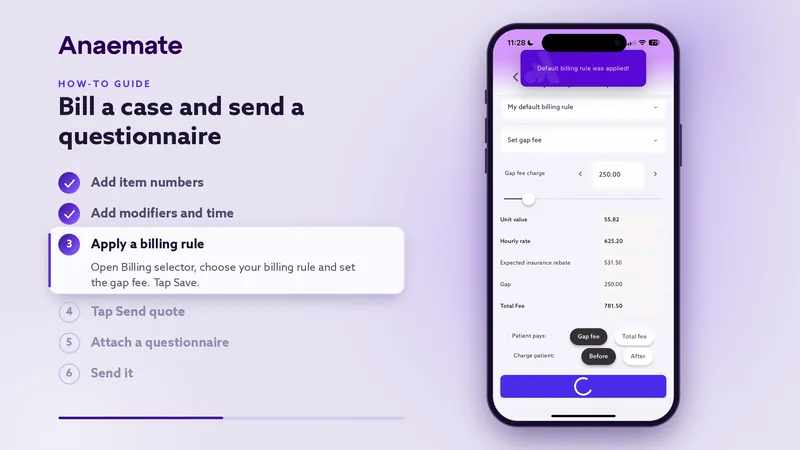
Add the item numbers, apply your billing rule and send the quote with a questionnaire attached.
 Length 0:44
Billing
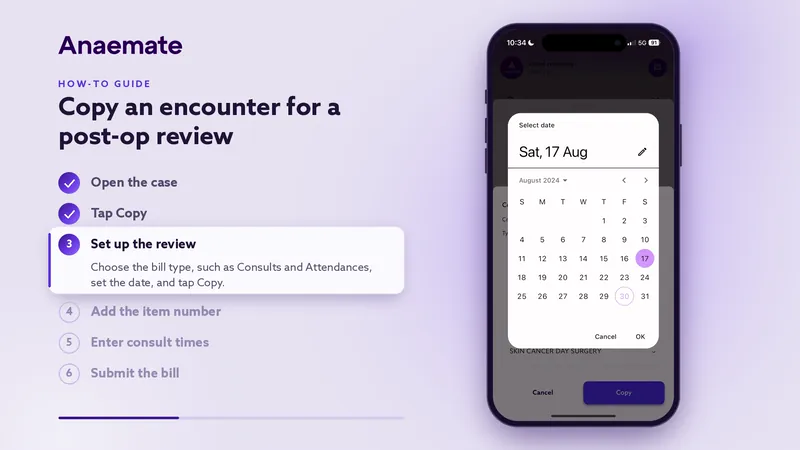
Turn a case into a new encounter for the post-op consult, then submit the bill.
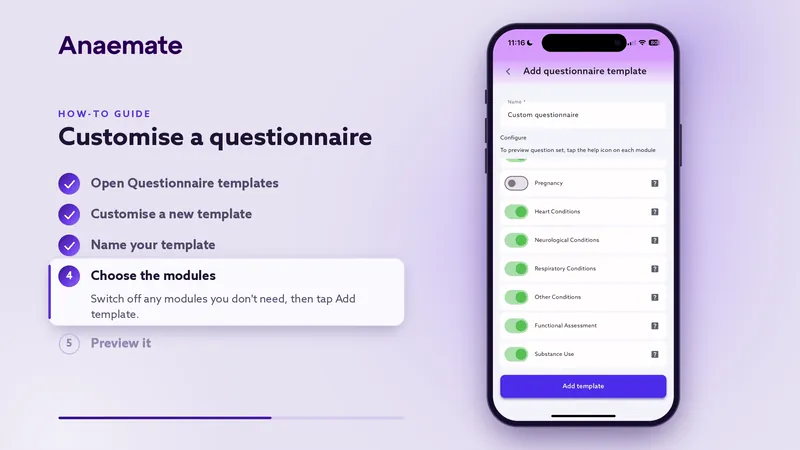 Length 0:35
Settings
Build a questionnaire template with only the modules you need, then preview it.
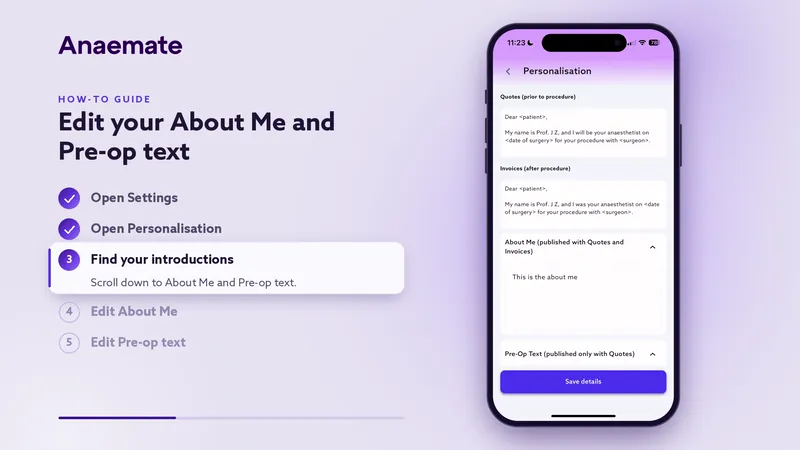 Length 0:33
Settings
Write the introduction sent with every quote and invoice, and the pre-op text sent with quotes.
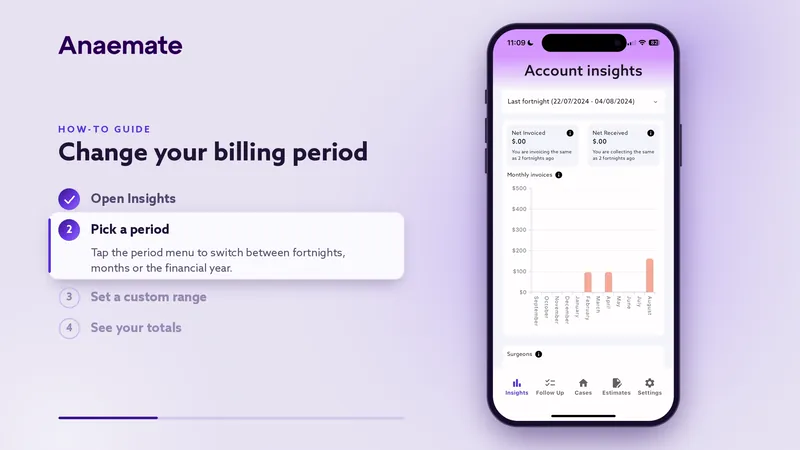 Length 0:36
Insights
Switch Insights between fortnights, months, the financial year or a custom range.
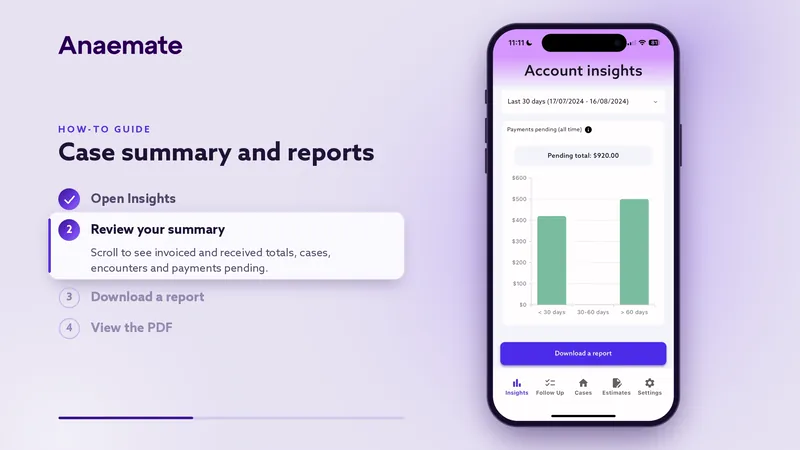 Length 0:33
Insights
Review invoiced and received totals and payments pending, then download a report as a PDF.
 Length 0:26
The Anaemate Help Centre has written guides for doctors and practice teams, and our support team is a message away.